Now playing, with lyrics
Spotify, Apple Music or any app that plays. Artwork, controls, time-synced lyrics and which speakers it’s playing to.
 Island
For Mac
Island lives in your Mac’s notch. On a call it writes down who said what, sums it up and puts your next steps in your calendar, all on your Mac. Before the next call it reminds you what you agreed last time. And every day, it keeps music, your day and timers one hover away, free.
Free to use. Try every Pro feature free for 14 days from the first time you use one, no account or card. macOS 26 on Apple silicon.
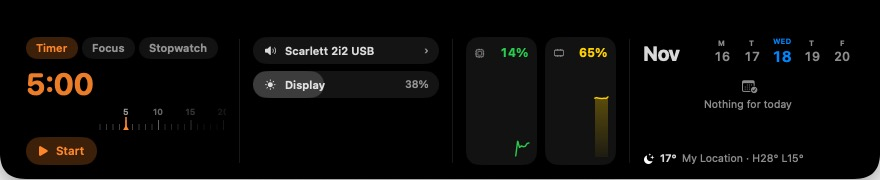
A call from the brief beforehand to the next steps afterwards, all on the Mac.
Music, your day, timers and more, right at the top of your screen. No account, no ads. Island asks for a permission only when you first use something that needs it.
Spotify, Apple Music or any app that plays. Artwork, controls, time-synced lyrics and which speakers it’s playing to.
Today’s events and reminders, the week ahead and the weather, one hover away. Join the next call from the island.
A countdown that stays visible without a window, with a quiet chime when it’s done.
Volume, brightness and output device pop out of the notch instead of covering your work.
Charging, low battery and Bluetooth devices connecting, with their battery levels.
Drop files on the island to keep them handy, and find what you copied earlier.
A shortcut opens a line that lands in today’s daily note (Obsidian or any folder).
Your script sits right under the camera, so you look at the person you’re talking to.
One shortcut mutes you in Teams, Zoom or Meet, and the island shows when you’re live.
Pro adds the things that save real time. Everything is transcribed and summarised on your Mac with Apple’s on-device models. Nothing is uploaded.
Start notes when a call begins (Island offers when Teams, Zoom or Meet takes your mic). It transcribes you and the other side, tells voices apart, and lets you name them.
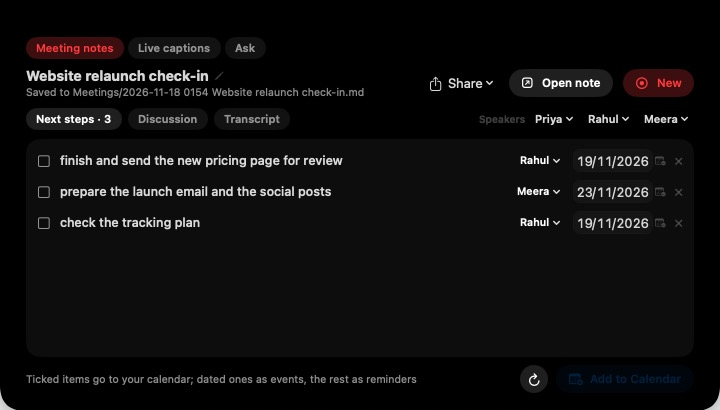
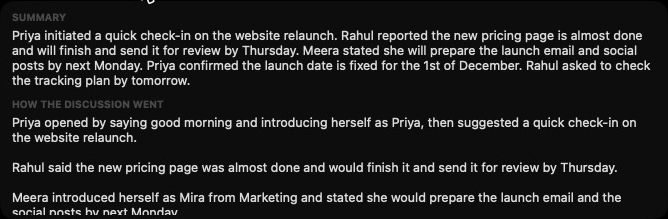
Two minutes before a meeting, Island shows who it’s with, what you talked about last time and what’s still open, with a Join button. Afterwards, your next steps wait in Follow-ups until you tick them off.
“What did we decide about the launch?” “Summarise my last five calls with Priya.” Island answers from your saved notes, on your Mac, and links to the meetings it used.
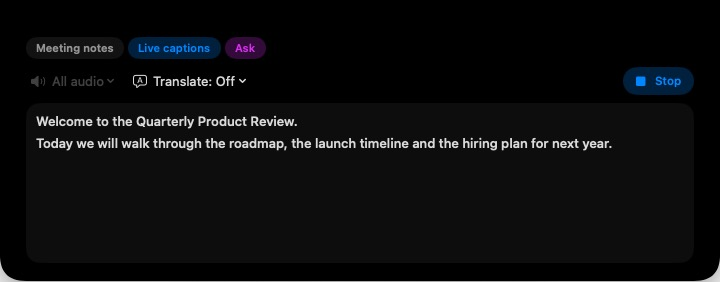
Captions for anything your Mac plays (a call, a video, a talk), translated as it goes if you want, and saved to your notes when you’re done.
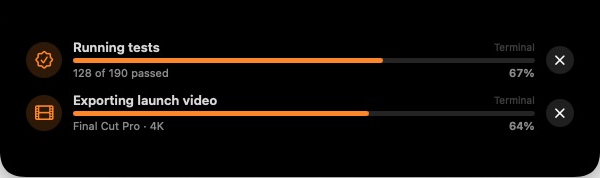
Show progress from scripts, builds and exports in the island with one command. Start notes or ask a question from Siri and the Shortcuts app. And the teleprompter scrolls as you speak.
Most meeting note-takers record in the cloud and charge every month. Most notch apps don’t take notes at all.
| Island | Cloud note-takers | Notch apps | |
|---|---|---|---|
| Meeting notes, summary and next steps | Yes | Yes | Rarely |
| Audio and transcripts stay on your Mac | Yes | Usually uploaded | – |
| No bot joins your call | Yes | Often a bot | – |
| Music, calendar and timers in the notch | Yes | No | Yes |
| Price | Free, or Pro once | Usually monthly | Free or once |
| Account needed | No | Yes | Varies |
Transcripts, summaries and answers are made with Apple’s on-device models. Audio never leaves your Mac.
Notes are plain Markdown in a folder you choose. Uninstall Island and they stay yours.
No sign-up to use Island or the trial. Pro only needs the email you buy with, to confirm each Mac.
Setup asks for each permission and says why. Skip any; only that feature stays off.
Try every Pro feature free for 14 days, starting the first time you use one. After that, keep using Island free, or buy Pro once. No subscription.
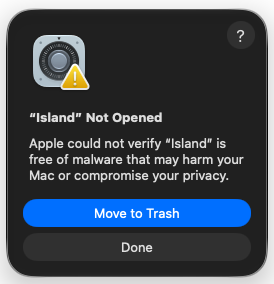
Needs macOS 26 (Tahoe) or later on a Mac with Apple silicon. Island comes from us, not the App Store, and this early version isn’t notarised by Apple yet. So the first time you open it, macOS warns that it “could not verify” Island. That means Apple hasn’t scanned this app, not that anything was found. You’ll allow it once, and never see the warning again.
Open the Island .dmg and drag Island to Applications.
Double-click Island. When macOS says it could not verify it, click Done (not Move to Trash).
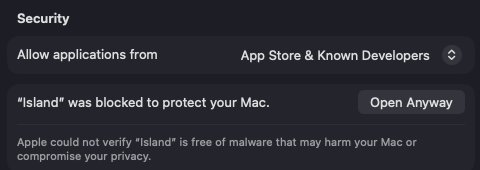
Open System Settings → Privacy & Security, scroll down to “Island was blocked”, click Open Anyway, and confirm with Touch ID or your password.
Updates install from inside Island, are checked to be signed by MundaneApps, and never show the warning again.

Why it’s safe to allow: Island runs entirely on your Mac and never uploads your audio, notes or files. Each release is signed by MundaneApps, refunds are open for 14 days, and a real person answers at info@mundaneapps.com.
Island keeps working with all the free features. Pro features lock, and your notes, recordings’ notes and settings stay exactly where they are. Buy Pro any time to unlock them again.
All the Macs you personally use. The first time you use your licence on a Mac, Island emails a 6-digit code to your purchase address to confirm it. After that it renews quietly in the background.
The first time you use a Pro feature (taking meeting notes, asking a question, live captions and so on), or when you press “Start 14-day free trial” in Settings. Installing Island and using the free features doesn’t start it.
Each Mac holds a confirmation that renews itself automatically in the background when you’re online, with no codes or emails. If a Mac stays offline long enough for it to run out, Pro pauses until it can renew. Free features always work offline.
No. On Macs and displays without a notch, the island sits at the top centre of the screen and works the same way.
No. Speech recognition, summaries and answers run on your Mac. Island only talks to MundaneApps to confirm your licence and check for updates.
Yes, within 14 days of purchase. See the refund policy. A refund turns Pro off on your Macs; your notes stay.
Use “Lost your licence?” in Island → Settings → Island Pro, or on the buy page. We’ll send it to the email you bought with.
Free to start. Every Pro feature free for 14 days.