 HeadsUp
Coming soon
HeadsUp
Coming soon
Get a HeadsUp while there’s still time.
HeadsUp keeps what’s coming visible early, so you can prepare at your pace instead of reacting to a last-minute reminder or carrying it all in your head.
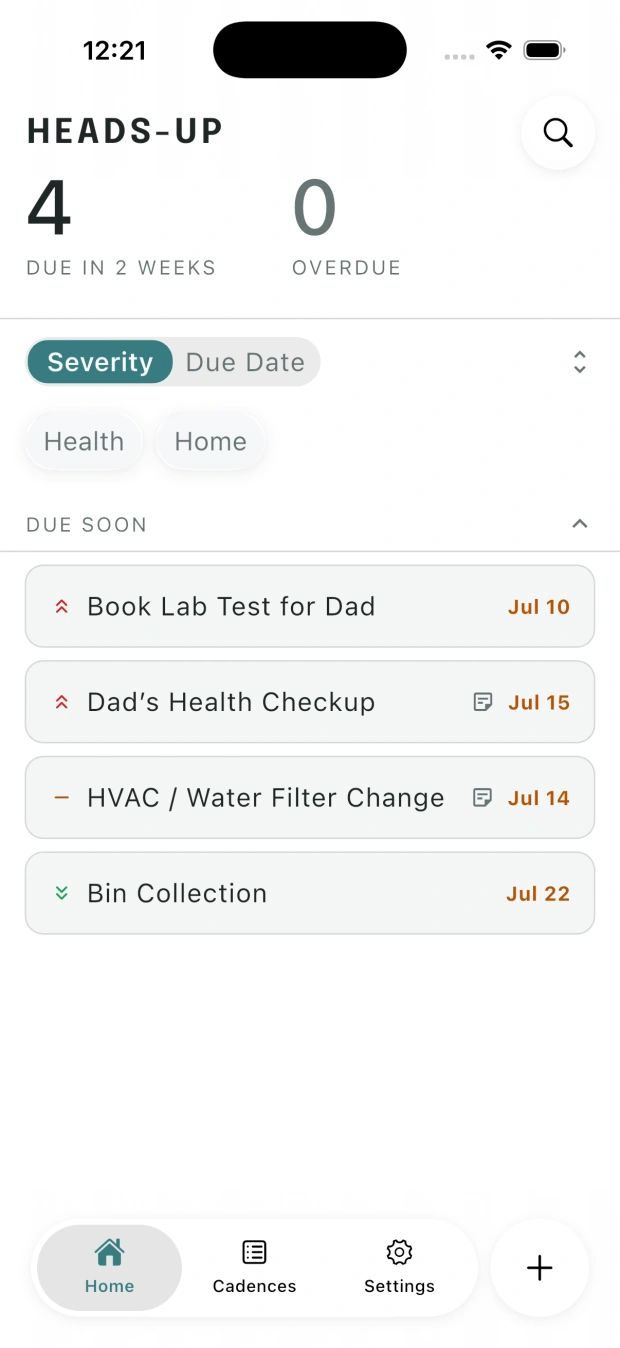
Scattered everywhere. Carried in your head.
Birthdays sit in your contacts. Bills in your banking app. Maintenance relies on memory. Renewals get buried in your inbox. Remembering becomes another thing to manage, adding mental load until something slips or a last-minute reminder takes over.
Dates have a place. The lead-up doesn’t.
Most tools are built around a fixed moment: due, alert, or do. What’s missing is the time beforehand: time to notice, think, and prepare.

- Calendar
- Holds the date.
- Reminder
- Alerts at one moment.
- To-do list
- Holds what needs doing now.
- Missing
- The time to prepare.

A HeadsUp on what matters, with time to prepare.
HeadsUp keeps important tasks together in one place and brings each one into view early, so you can prepare at your pace and keep your mind at peace.
- See it earlyKnow what’s coming while there’s time to prepare.
- Keep context attachedKeep notes, dates, and decisions together.
- Carry it forwardWhen it repeats, the next cycle stays accounted for.
See HeadsUp put lead time to work.
Start with the big picture, focus on what needs attention, then carry every detail, decision, and cycle forward without keeping it all in your head.
See only what needs attention on the app’s Home screen.
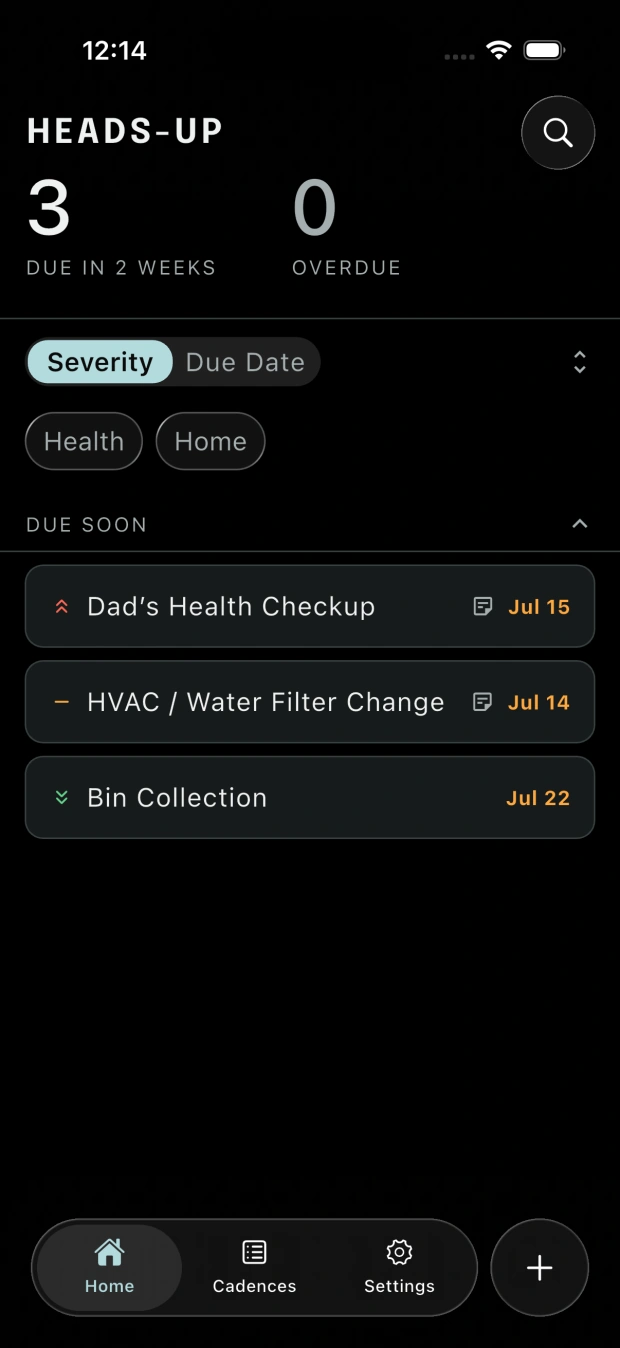
Manage all cadences in one place.
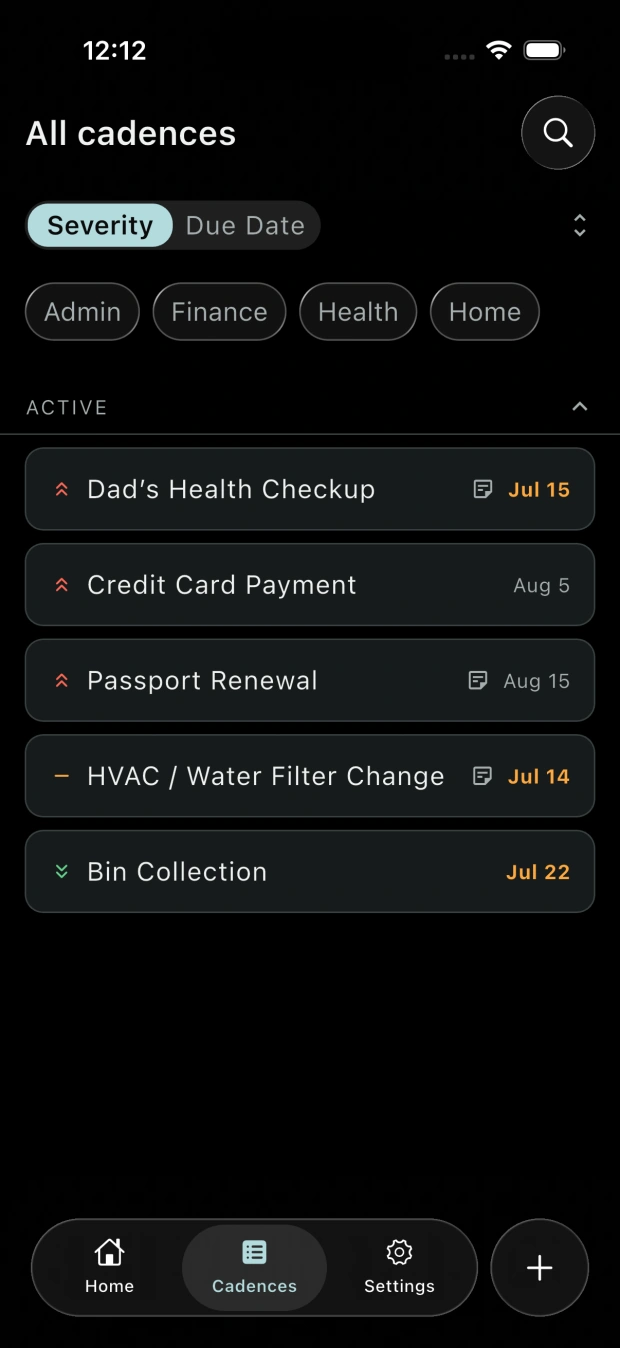
Dates, schedules, and context: all details together.
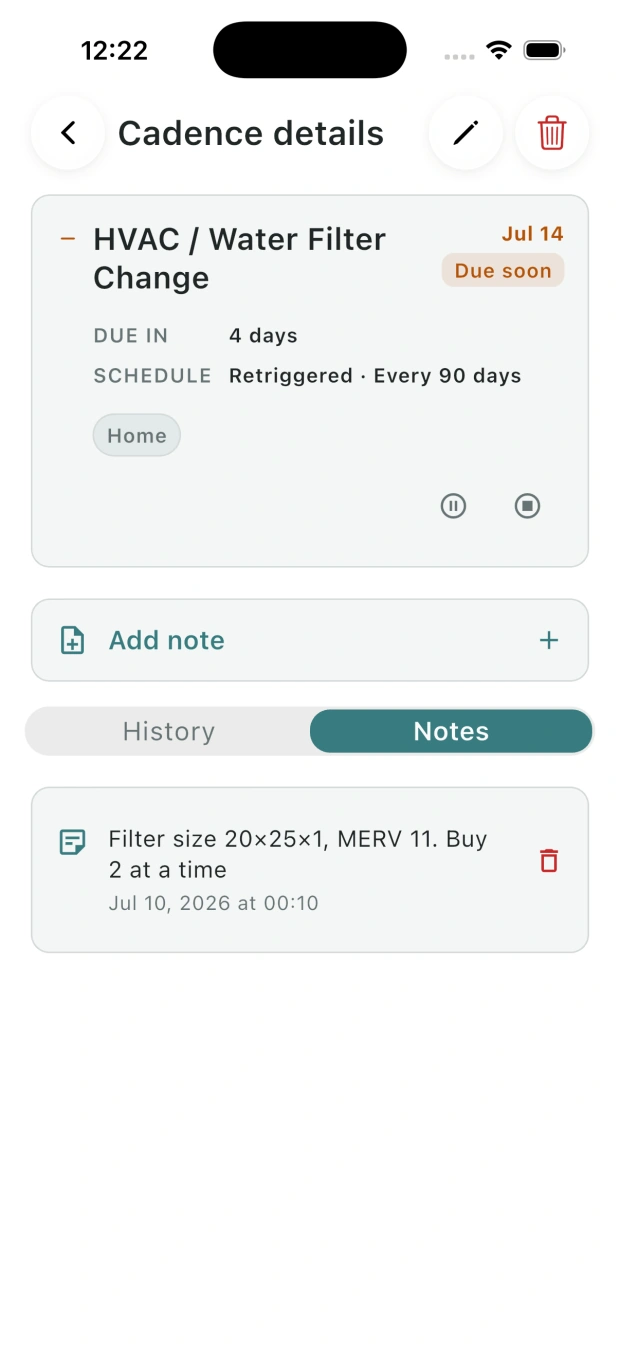
Notes and completion history attached to each item.
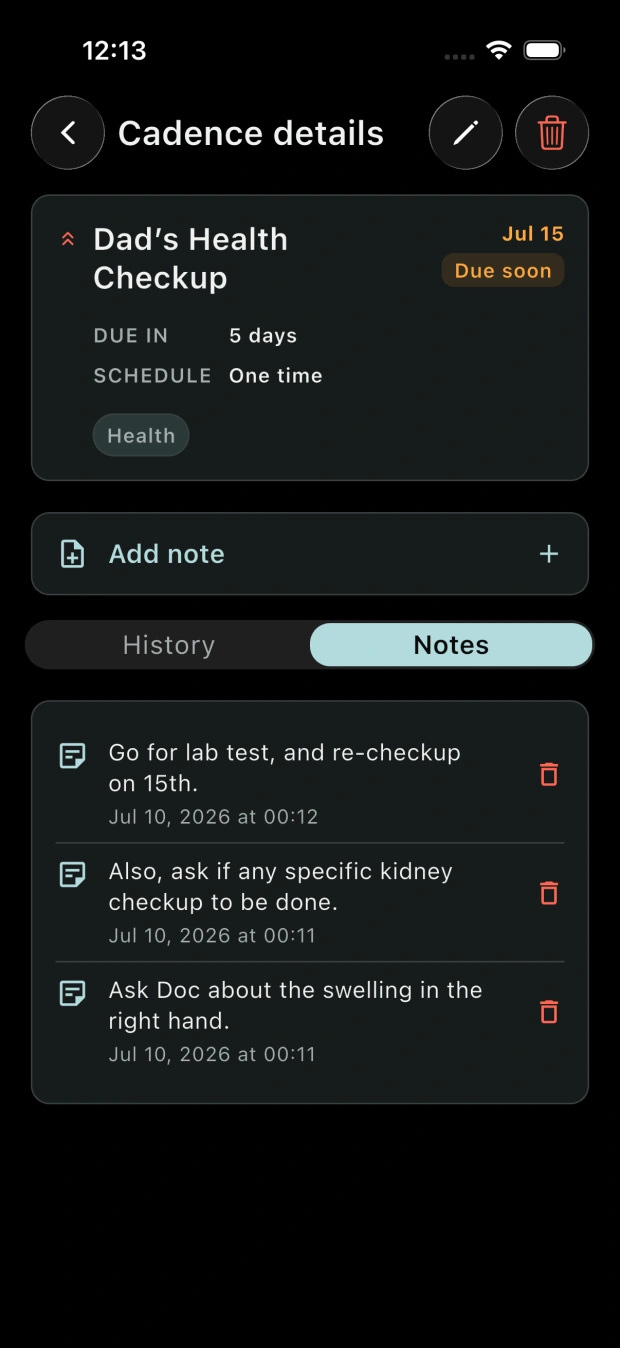
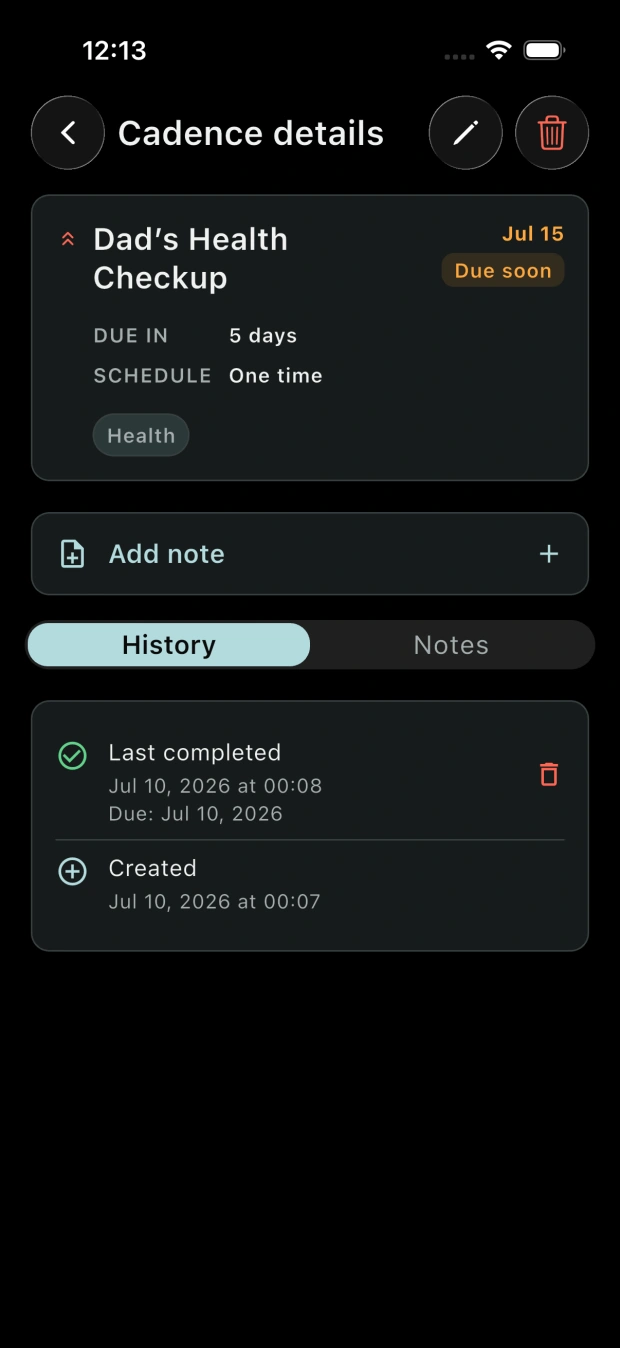
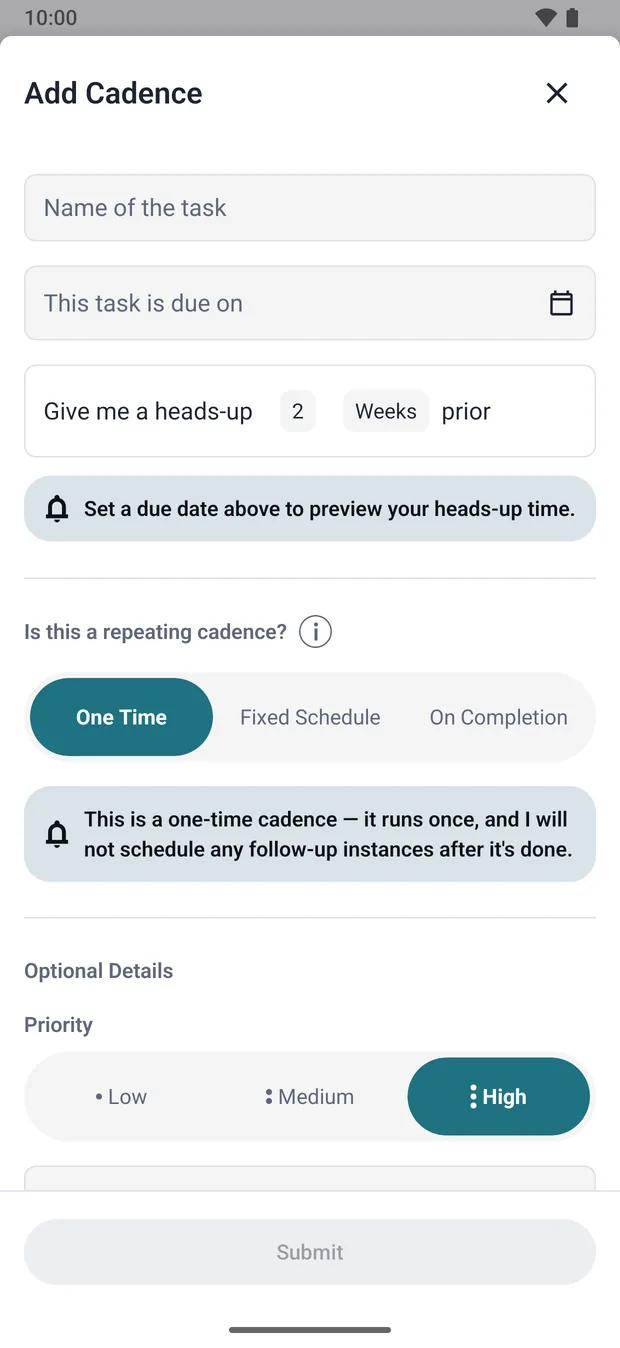
Built for real-life rhythms.
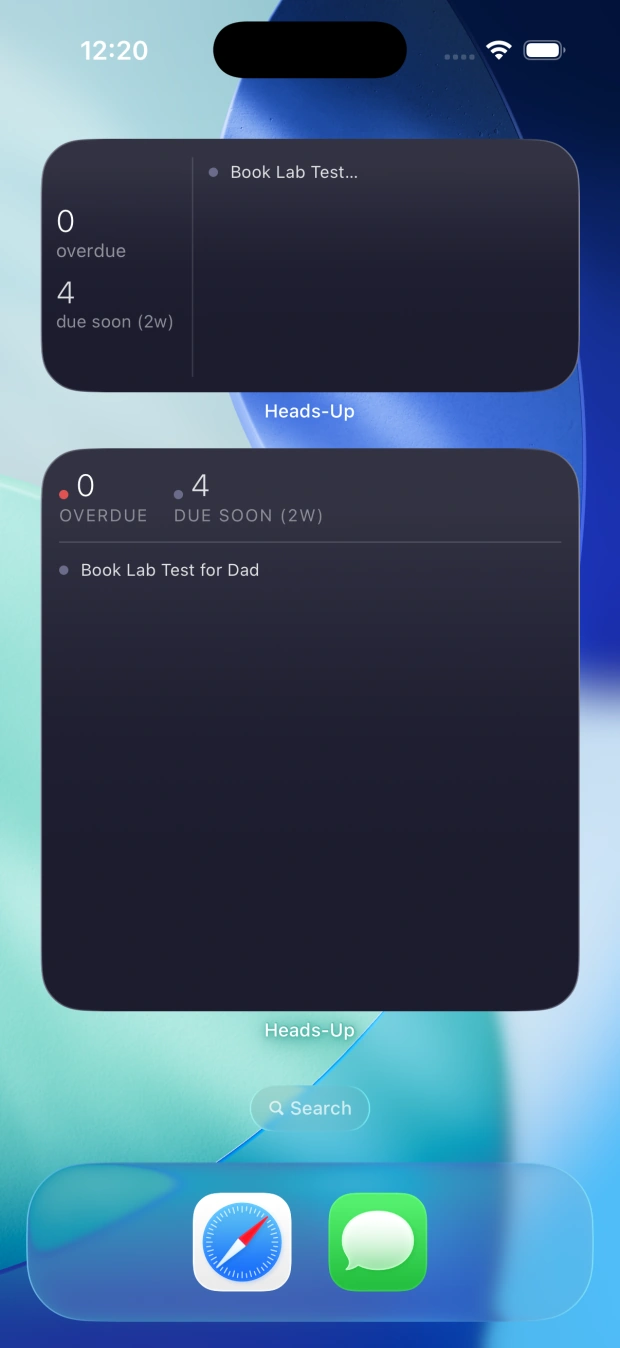
Home Screen widgets for quick access.
Playground: Understand how HeadsUp keeps time.
Choose when a task is due, decide how early you want to see it, and explore what each cadence schedules next.
When do you want a HeadsUp?
Your task enters Home with time to prepare.
Adjust the dates to see when it appears.
What happens after completion?
See the whole schedule.
Your HeadsUp:
On the preview date:
What happens next:
This playground runs locally in your browser and saves nothing.